Modern businesses create an enormous amount of digital content every day. Presentations, contracts, spreadsheets, product documents, marketing files, meeting notes and customer materials can quickly become difficult to manage when they are scattered across computers, email inboxes and different applications. As teams become more flexible and increasingly work from different locations, having a clear system for storing, accessing and sharing information becomes even more important.
A well-organized digital workplace is not simply about putting files into cloud storage. It is about creating a structure that helps people find information, collaborate on documents, manage permissions and move routine processes forward without unnecessary manual work. Box combines cloud content management, collaboration, security, workflow tools and AI capabilities within one platform, making it possible for organizations to rethink how they manage business content.
Create One Organized Home for Business Content
The first step toward a more efficient digital workplace is knowing where important information belongs. When files are spread between personal computers, email attachments and multiple storage services, employees can waste valuable time searching for the latest version of a document.
Box provides a centralized environment where teams can store, organize and access documents, presentations, videos and other digital content. Its cloud content management tools also support metadata, tagging, search and structured folder organization, helping businesses create a more consistent approach to managing information.
A useful folder structure should reflect the way a company actually works. For example, a marketing team could organize content by campaigns, while a sales department might separate presentations, proposals and customer documents. The exact structure will vary between organizations, but consistency is important.
It is also useful to establish simple naming conventions. Files with clear names are easier to find than documents called “final,” “new version” or “document 2.” Adding dates, project names or other meaningful identifiers can make a large content library easier to navigate.
The objective is not to create hundreds of complicated folders. Instead, businesses should build a structure that employees can understand without needing extensive instructions.
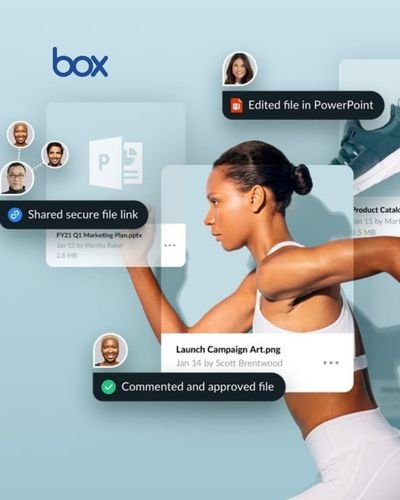
Make Collaboration Easier Across Teams
Digital work rarely happens in isolation. A presentation may need input from marketing, sales and management, while a proposal could require contributions from several departments. Sending multiple copies of the same file through email can quickly create confusion about which version is current.
Box supports collaboration around cloud-based content and allows teams to share files with colleagues, customers, agencies, partners and other external collaborators. Users can manage permissions and collaborate on content without relying entirely on email attachments.
Box Drive also allows users to work with their Box content directly from their desktop and with familiar applications such as Microsoft Office and Adobe products. Files can be accessed and edited while changes are managed through Box, helping connect everyday desktop work with cloud-based content management.
For distributed teams, this approach can make collaboration more straightforward. Instead of asking colleagues to search through old email conversations for an attachment, everyone can work from the appropriate shared location.
However, collaboration should still be organized. Not every document needs to be available to every employee. Clear access permissions can help teams share information with the people who need it while keeping sensitive material restricted.
Use Permissions to Keep Information Controlled
As the amount of business content grows, security becomes an important part of digital organization. A convenient file-sharing system is only useful when companies can also control who can access important information.
Box provides access and permission controls as part of its content management platform. Its security capabilities include identity and access management, device controls and content protection, while additional products such as Box Shield provide classification-based security controls and threat detection.
Businesses can use these capabilities to create different levels of access according to roles and projects. A finance document, for example, may need a much smaller audience than a general company presentation.
Permission management should also be reviewed regularly. Employees change departments, contractors finish projects and external partnerships come to an end. Access that was appropriate six months ago may no longer be necessary.
Creating simple rules for access reviews can make security part of everyday content management rather than something considered only after a problem occurs.
It is equally important to train employees. Even the strongest technical controls cannot replace good habits. Team members should understand how to share files responsibly, recognize sensitive information and follow company procedures when collaborating with people outside the organization.
Turn Repetitive Processes Into Workflows
Many business processes involve the same sequence of steps again and again. A contract might need to be reviewed, approved and signed. A new employee may need documents, forms and access permissions. A marketing asset could require several rounds of approval before publication.
Handling these processes manually can create delays. Box provides workflow and automation capabilities designed to help organizations manage repeatable content-based processes. Its platform includes Box Automate for workflow automation and Box Sign for electronic signatures.
The benefit of automation is not simply speed. A clearly defined workflow can also make responsibilities easier to understand. Instead of someone having to remember who should receive the next document, a workflow can help move content through the appropriate stages.
For example, a company could create a process where a completed document is automatically routed to a manager for approval and then sent for signature. This can reduce unnecessary email communication and make the overall process easier to track.
Businesses should start with processes that are repetitive and clearly defined. Trying to automate every activity at once can create unnecessary complexity. A better approach is to identify a few time-consuming workflows, understand the steps involved and improve them gradually.
Bring AI Into Everyday Content Work
Artificial intelligence is becoming increasingly relevant to the way businesses work with information. Instead of treating AI as a separate tool, organizations can use it alongside the content they already manage.
Box AI can summarize documents, answer questions about business content, extract information and help generate new material. Box says its AI capabilities can work with content stored securely within its environment and respect existing permissions and access controls.
This can be useful when employees need to understand large amounts of information quickly. A team member could use AI to summarize a lengthy document before reviewing the complete version, identify relevant information within complex files or generate an initial draft based on existing business content.
Box also offers AI-powered extraction capabilities for turning information from unstructured documents into structured data. This can be particularly useful for organizations that regularly process contracts, forms, invoices or other documents containing recurring information.
AI should still be used with appropriate oversight. Important business decisions should not automatically be based on generated information without human review. Companies should also establish rules around sensitive content, permissions and approved AI use.
Used thoughtfully, AI can reduce repetitive information-handling tasks while allowing employees to spend more time on work that requires judgment and creativity.

Build a Digital Workplace That Can Grow
A digital workplace should be designed for today’s needs while leaving room for future growth. A small team may initially need straightforward file storage and collaboration, but as the organization expands, it may require stronger governance, workflow automation, advanced security and more sophisticated ways to work with information.
Box offers capabilities covering content storage and collaboration alongside tools for security, compliance, automation, e-signatures, AI and integrations. Its platform is designed to support different stages of the content lifecycle rather than focusing only on basic cloud storage.
The best starting point is to understand how the organization currently handles content. Which files are difficult to find? Where do duplicate versions appear? Which processes depend heavily on email? Which documents require frequent approvals? Which teams need to collaborate with external partners?
The answers to these questions can help identify where improvements will have the greatest practical value.
A successful digital workplace does not need to be complicated. It needs to be predictable, accessible and secure. Employees should know where information belongs, how to find it, who can access it and what happens next when a document enters a business process.
Box provides the technology to support this approach, but the real improvement comes from combining the platform with clear internal practices. Organized content, thoughtful permissions, collaborative working methods, automated processes and responsible AI use can create a digital environment where employees spend less time searching and managing files and more time completing meaningful work.
As businesses continue to operate across offices, homes and different locations, this kind of structure can become an important part of everyday productivity. A well-designed digital workplace is not simply about storing information in the cloud. It is about turning business content into something that people can securely access, understand, collaborate on and use to move work forward.